Questions
- g.seabrook
- Becky Oldroyd
- h.nicklen
Key Considerations
- Questions connect the question text with the response domain(s) and interviewer instructions.
- Questions are of two types: items or grids.
Questions in Archivist is where the question text is entered and brought together with the relevant Response Domains. They can be Question Items or Question Grids. The Response domain(s) and/or Code List(s) must be created before you can build a question, hence why this is not the first step in the process. Interviewer Instructions are also created during this process.
Before creating a question, you will need to consider whether the question is a question item or a question grid. It is not always easy to identify what is one question item, multiple question items or a sequence with multiple question items.
A Question Item is a representation of a single question in a questionnaire.
A Question Grid is a matrix of questions with overarching question text that all share the same possible answers.
When to use a Question Item
Question items are the default choice when entering a question most of the time. They must always include at least one response domain and question literal that should be able to stand alone contextually. Sometimes nearby text has to be concatentated on to inadequate question text, to display complete context. See Question Items for more on concatenation.
However, if text that would provide clarity/context to a question item is contained entirely within a previous question, such as '1. Do you smoke? 2. How many a day?' these have to be documented as two separate question items, to maintain faithfulness to the original questionnaire (Principle 1).
When to use a Question Grid
In general, individual questions are preferable to question grids when documenting questionnaire metadata. Therefore, when a grid is used in a questionnaire, the questions in the grid are entered as individual question items instead of question grids, unless it is a multi-column grid.
Note that if the sub-questions have varying response domains (for example the code list is not the same across the sub-questions) then multiple question items must be used. This is regardless of how many sub-questions/statements there are or how long the question items will be. The exception to this is 'breaking off' questions with a mixed response (usually code list plus a text answer) from a group of sub-questions. The sub-questions without a mixed response can be input as a question grid. The mixed response sub-questions are added as separate questions below the grid. See break-off questions for more details.
Example 1 Questionnaire: ALSPAC My Teenage Son
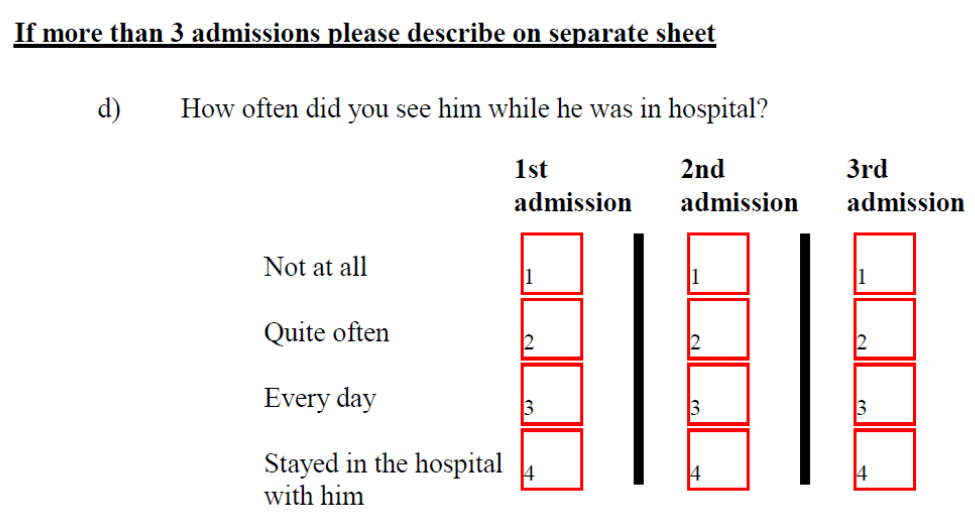
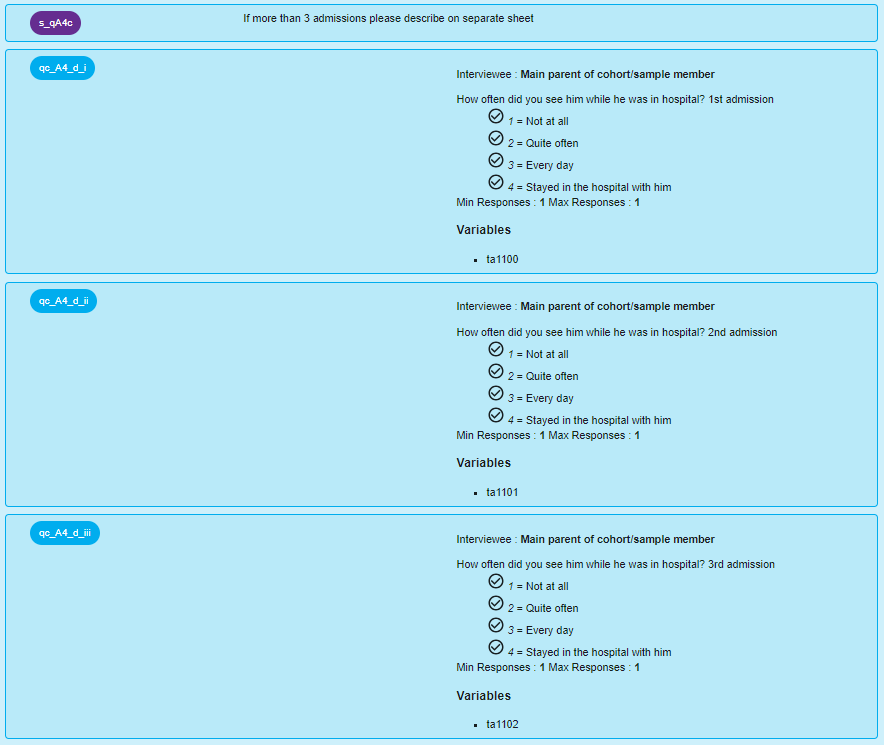
This example shows a set of related questions displayed as separate question items. Question A4(d) appears at first glance to be one question, but is actually three sub-questions. The overarching text 'How often did you see him while he was in hospital?' is common to all three of these questions, and so is concatenated on to each mention of 'admission'. This particular example also shows a situation that the enterer may assume is to be recorded using a question grid at first, due to the layout.
Questionnaire layout:
Archivist view (alspac_04_mtsd):
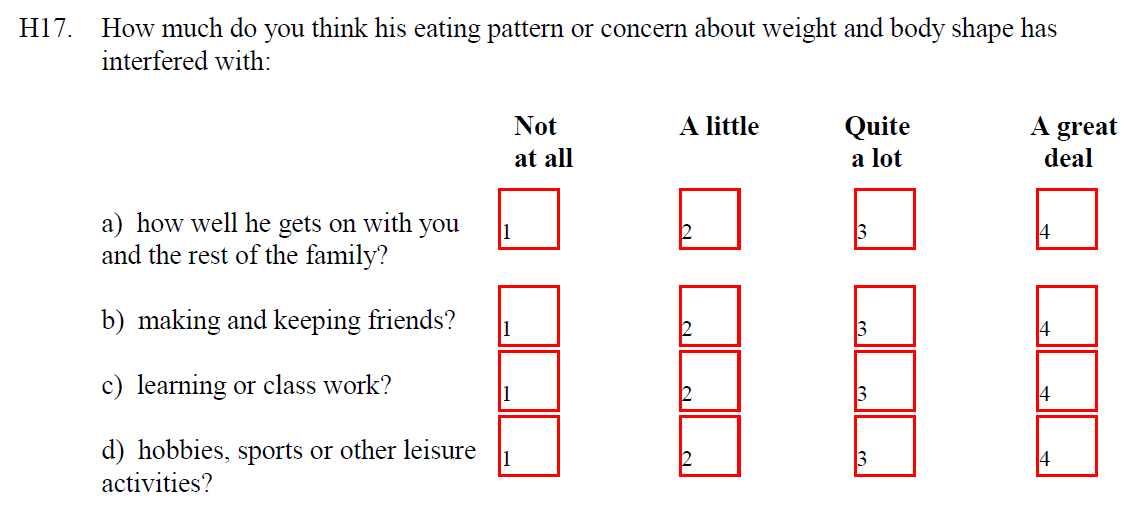
Example 2 shows a set of related questions displayed entered as a question grid.
Example 2 Questionnaire: ALSPAC My Teenage Son
Questionnaire layout:
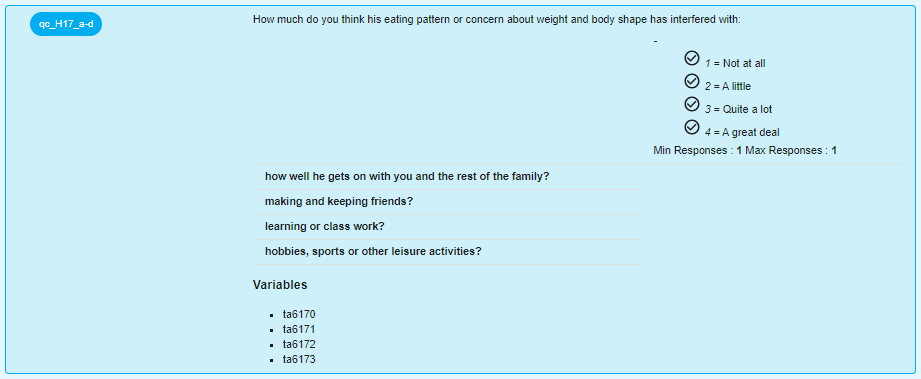
Archivist view (alspac_04_mtsd):